Easy way to share your Android’s VPN connection to your computer What is a VPN? Before we head on explaining how to share your Android’s VPN...

Easy way to share your Android’s VPN connection to your computer
What is a VPN?
Before we head on explaining how to share your Android’s VPN connection to your computer, let’s first get an apprehension of what a VPN is a virtual private network (VPN) extends a private network across a public network and enables users to send and receive data across shared or public networks as if their computing devices were directly connected to the private network. VPN connections are usually established using an encrypted tunneling protocol. And one of its commonly know and use functionality is bypassing geo-restriction.
Is using a VPN legal?
The use of VPNs is legal even in countries like the U.S. But this also depends on how you are using it. If you use a VPN for activities which include torrenting copyrighted materials. Also, to use a VPN in China, Russia, Turkey, Iraq, and the UAE and some other countries is considered illegal.
Sharing your Android VPN connection to your computer
If you are using a VPN app that doesn’t have a desktop version, then this guide is worth the hassle. It will come in handy just for educational purposes if you are using a VPN which has both mobile and PC versions.
That said, to share your Android’s VPN connection to the computer, you can achieve it by either sharing via USB or Hotspot. Note that this is the normal USB or Hotspot tethering.
So, the sharing of a VPN connection will thus be across a Virtual Router( router created from software instead of hardware). Below is how you can share a VPN connection to your computer.
Sharing your Android’s VPN connection via USB to a computer
For this to work, you will need software that can create a virtual router allowing USB tethering over the VPN Ip and not your device’s default IP. One of such software commonly used by many is PdaNet+. The app exists for both Android, macOS, and Windows. But to activate the full version you will need to purchase the
FoxFi Key app.
FoxFi Key app.
Installation and setup
- Start by downloading and installing PdaNet+ on your Android. Also, make sure to enable USB debugging on Your Android device.
- After installing both apps and enabling USB debugging, launch PdaNet+. As you will see on the main screen, you can either share your connection via USB, direct WiFi or Hotspot. USB and Hotspot methods are the best choices.
- Now we are going to explain how to share via USB.
- From your computer, download PdaNet+ and run the setup file.
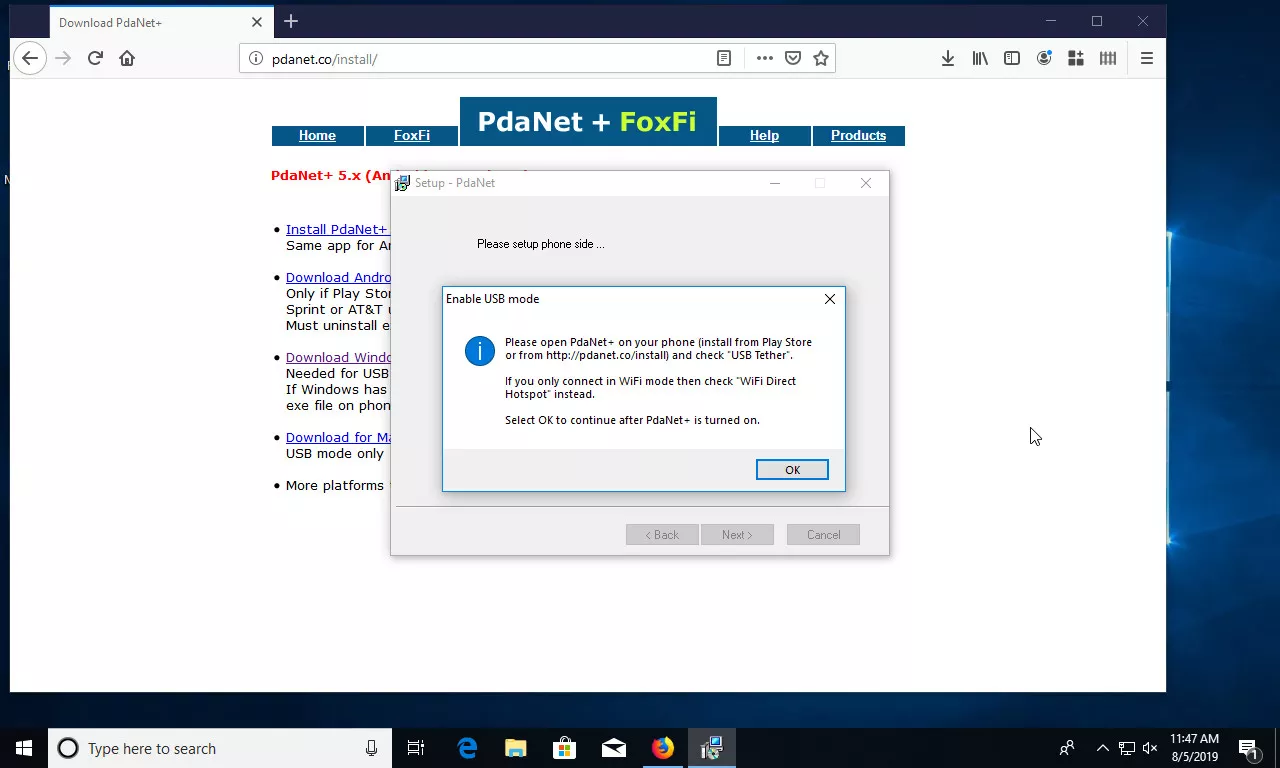
- Proceed with the installation until you are prompted to connect your Android device to the computer.
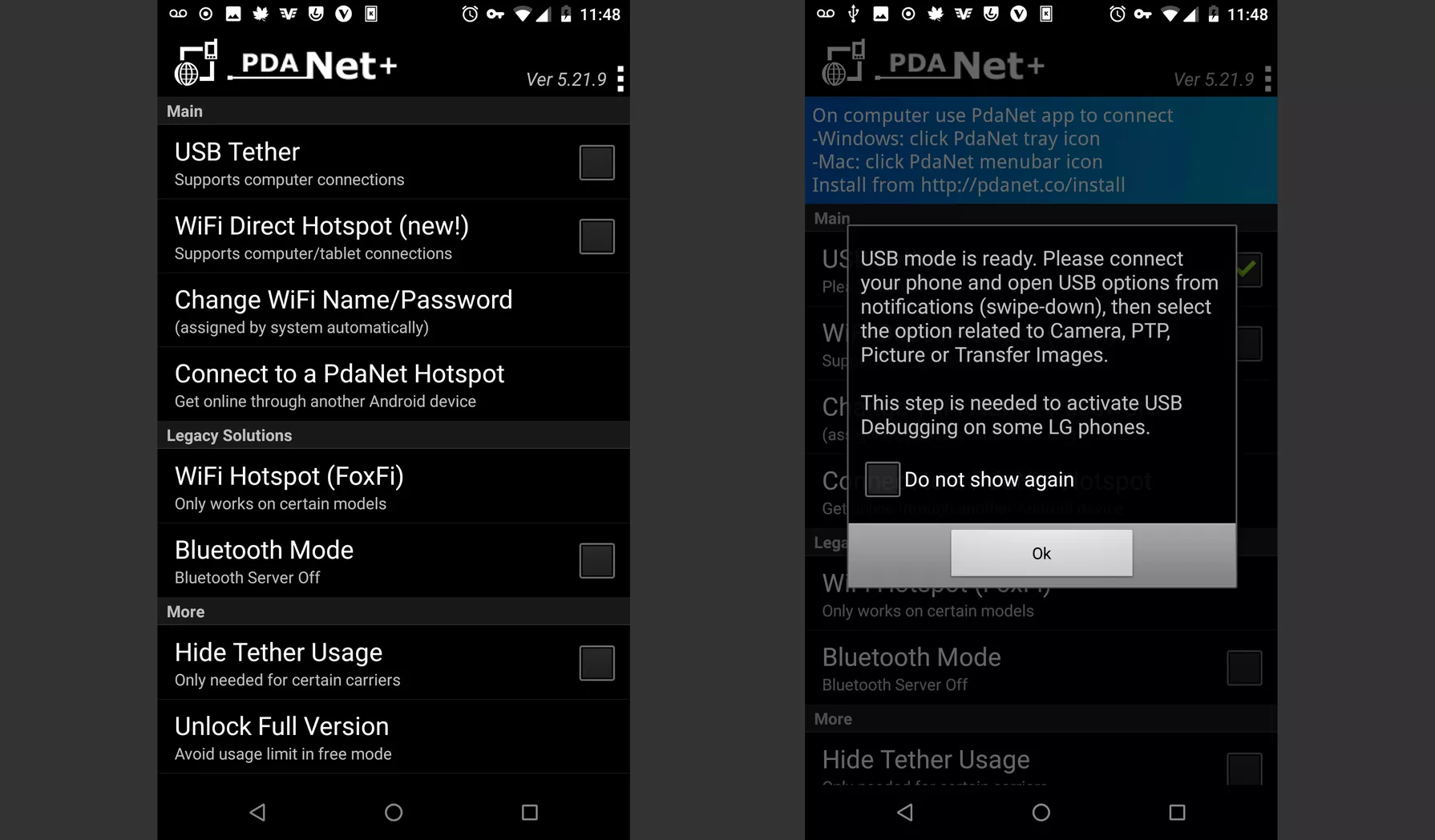
- At this point, connect your phone to the computer via USB and toggle on USB tether from the PdaNet+ on your Android. Your VPN should be connected as well.
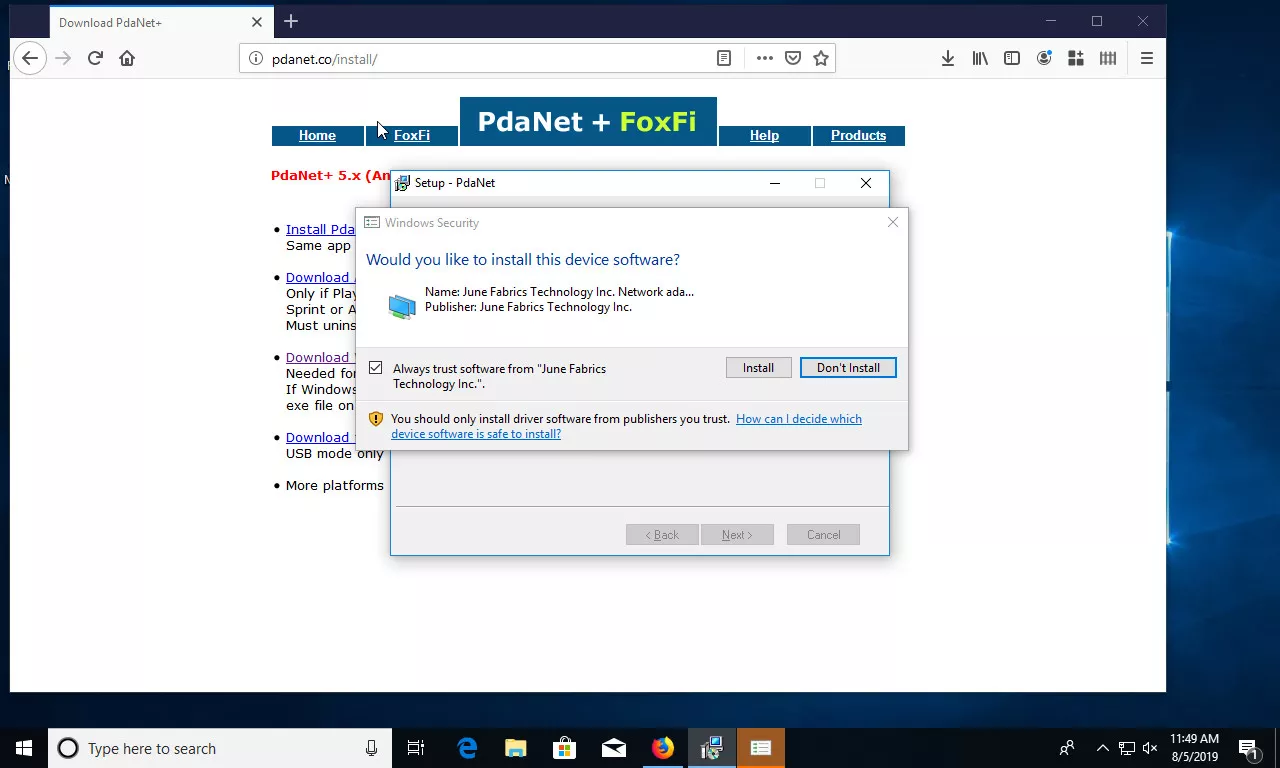
- Now, back on your computer. You will get a prompt asking if you want to install a new device software. Confirm and proceed with the installation of PdaNet+ on your computer.
The next thing you will need to do is authorize the USB debugging connection from your Android. You should see a message from the installer like the one below.
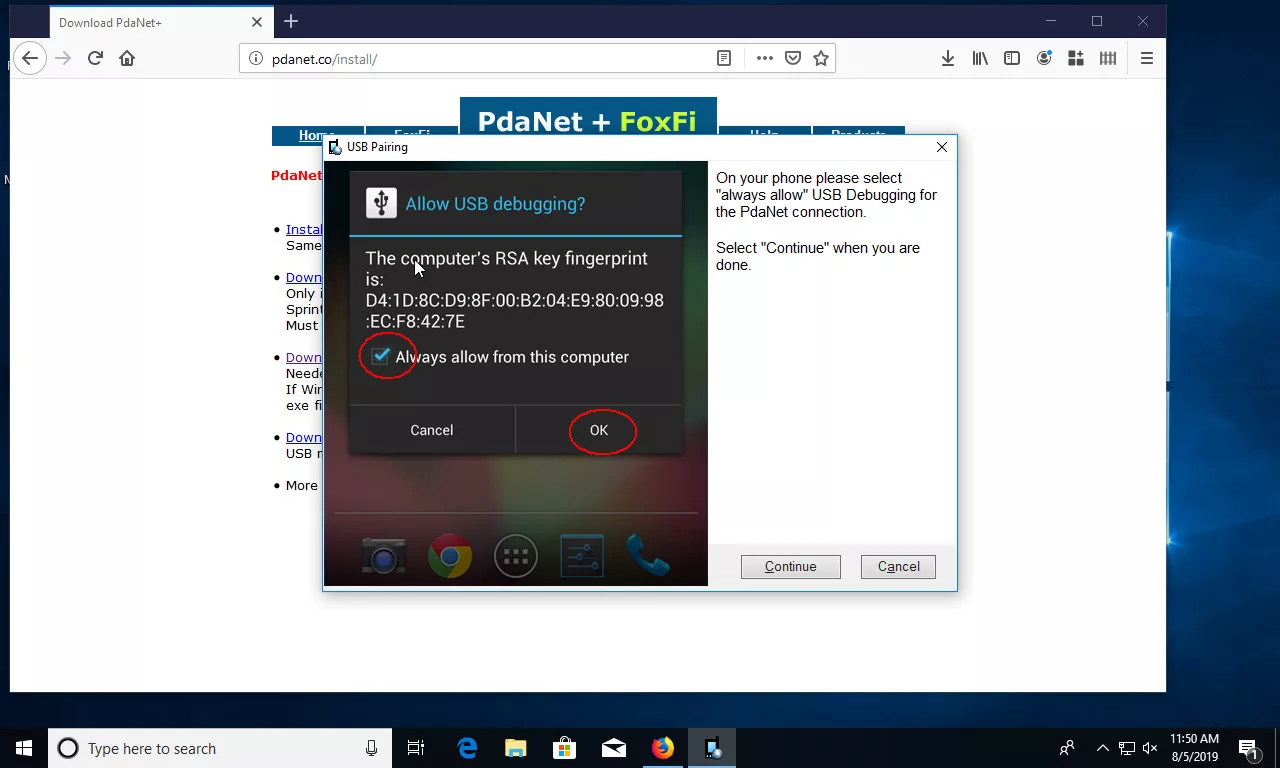
- So, on your Android, check ” Allow allow from this computer” and click on “Ok”.
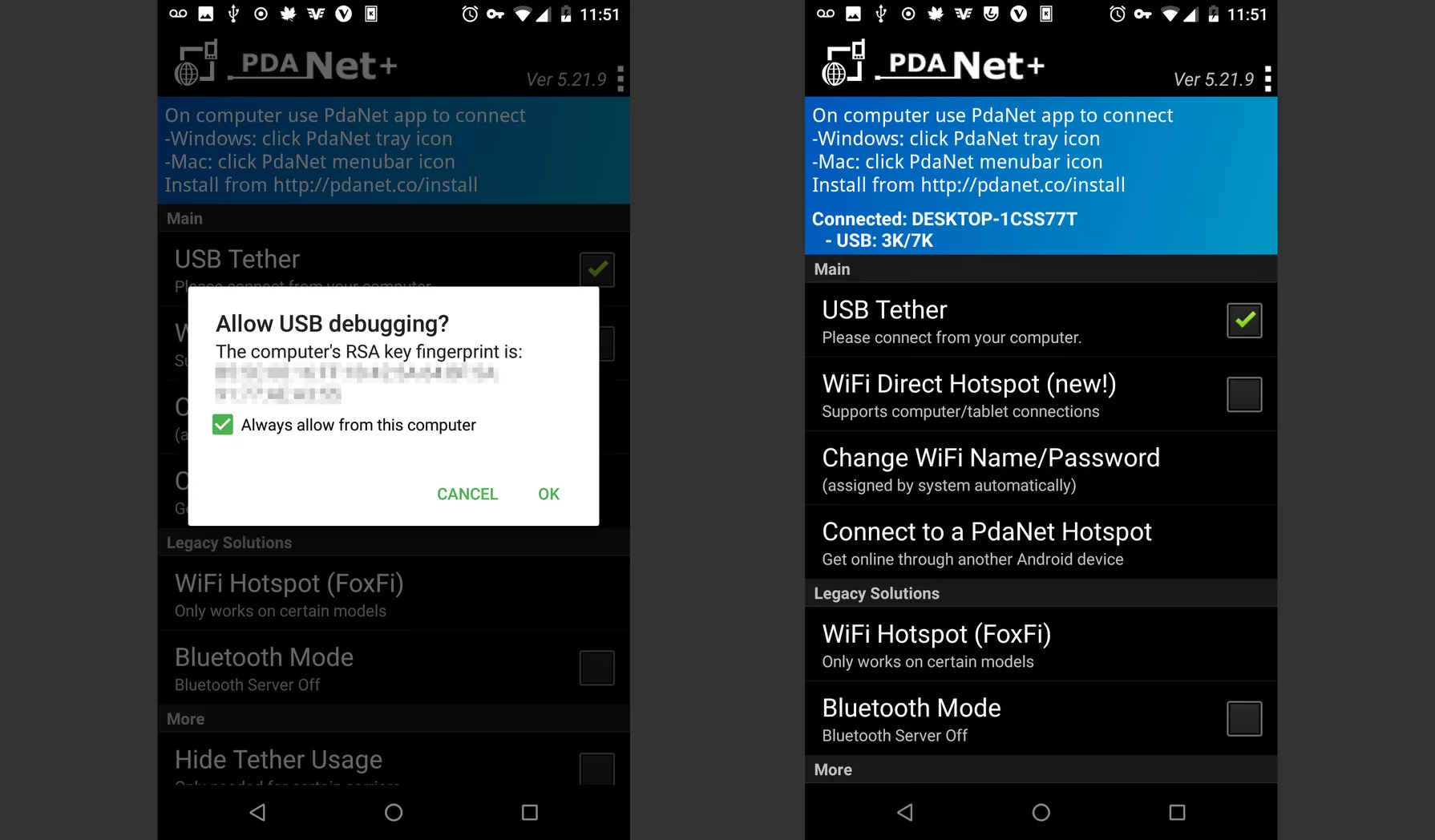
- When the installation is completed, allow the option to connect PdaNet+ after installation and make sure USB mode is checked.
- Once the connection is successfully established, you will see a notification from the PdaNet+ hidden inside the Windows icon tray.
- After this, you will then be able to browse with the VPN connection from your Android device.
- The connection established from PdaNet+ can also be shared from your computer to other devices via Hotspot. You can find that by right-clicking on the PdaNet+ icon on the Windows icon tray.
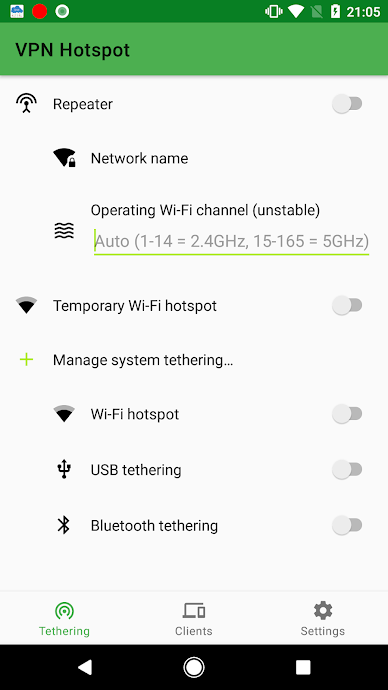
This method is pretty straight forward but requires root access. So, if you have a rooted device, then this method could prove more convenient for you. With the VPN Hotspot app, you won’t need to go through a whole lot to set things up. Just head on the Google Play Store and download the app.


