Samsung Galaxy A20e Specifications: Processor (Clock) : Octa-Core (2 x 1.6GHz, 6 x 1.35GHz) Memory (RAM) : 3GB Internal Storage (ROM...

Samsung Galaxy A20e Specifications:
- Processor (Clock): Octa-Core (2 x 1.6GHz, 6 x 1.35GHz)
- Memory (RAM): 3GB
- Internal Storage (ROM): 32GB
- Screen (Size & Type): 5.8 inches IPS, HD+ display
- Camera Overview (Back/Front): 13MP + 5MP / 8MP
- OS Version: Android 9.0 Pie One UI Based
Key Features
- Brand – Samsung
- Model – Galaxy A20e
- Alternative Name –
- Device Type – Android 4G Smartphone
- CPU – Octa-core (2 x 1.6GHz & 6 x 1.35GHz)
- Chipset – Exynos 7884 Octa
- GPU – ARM Mali-G71 GPU
- Camera – 13MP f/1.9 + 5MP f/2.2 with Dual-LED and AF Triple Rear Camera | 8MP f/2.0 Front camera
- Memory – RAM- 3GB | ROM 32GB External Memory Support Up to 512GB (Dedicated SIM)
- Display – Screen size 5.8-inches IPS, LCD HD+ Display (1560 x 720 Pixels), 19.5:9 Aspect ratio
- Battery – Non-Removable 3,000 mAh Lithium-Polymer with Fast Charging 15W
- SIM – Dual SIM (Nano-SIM + Nano-SIM)
- Sensors – Proximity Sensor, Compass, Accelerometer, Fingerprint (Rear Mounted)
- Color – Black, White
- Operating System – Android 9.0 Pie (OneUI Based)
- I/O Interface – 1 x Nano SIM Card Slot, 1 x Nano SIM Card Slot, TF Card Slot, micro USB 2.0 Slot, 3.5mm Audio Out Port, Power Button, Volume Button, Microphone, Speaker
- Dimensions – 147.2 mm x 69.5 mm x 8.3 mm
- Weight – Grams (with Battery)
- More Feature – IPS, LCD, HD+ display, Plastic Body Design, Computer Sync, Tethering, VoLTE Support, FM Radio, OTG Support, 2.5D Curved Glass, GLONASS, BDS, FM Radio, Rear Mounted Fingerprint.
Bypass FRP Samsung Galaxy A20e:
- Turn ON your Samsung Galaxy A20e
- Connect your Samsung mobile to your Wi-Fi network.
- Go back to welcome page & insert a sim card with a pin code (don’t enter the pin code)
- After that in the same time remove the sim card + a quick press on the power button to turn off the screen
- Press on the power button then swipe from the lock logo then Tab on Notification logo.

- Then Tab on Notification setting ==>> See more ==>> Most recent

- Click on All ==>> Youtube ==>> In App Notification setting.
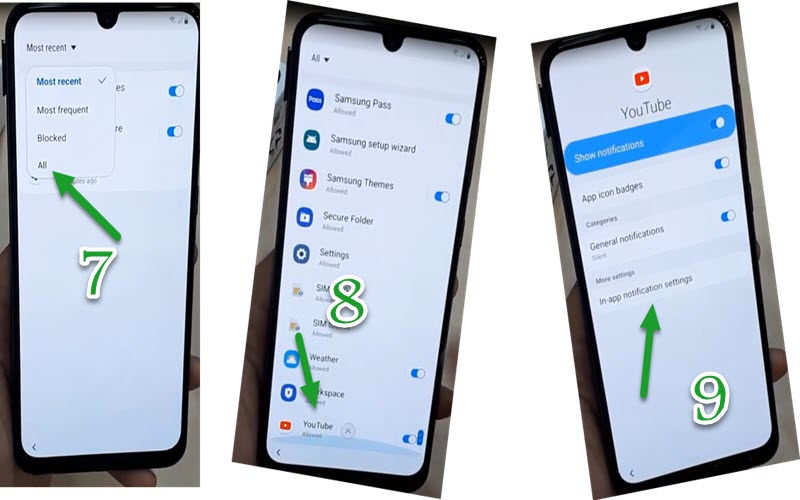
- Click on History & privacy ==>> Youtube Terms of Service.

- A Browser Welcome page open.
- Go to Download FRPBypass app
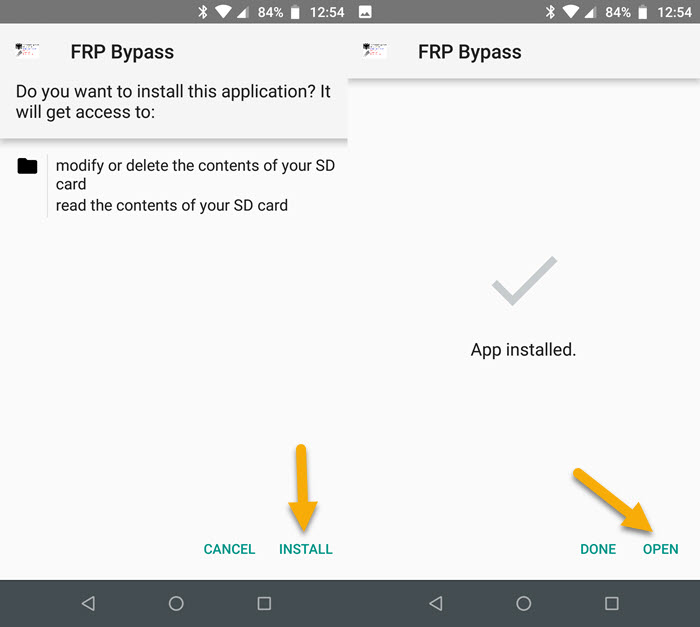
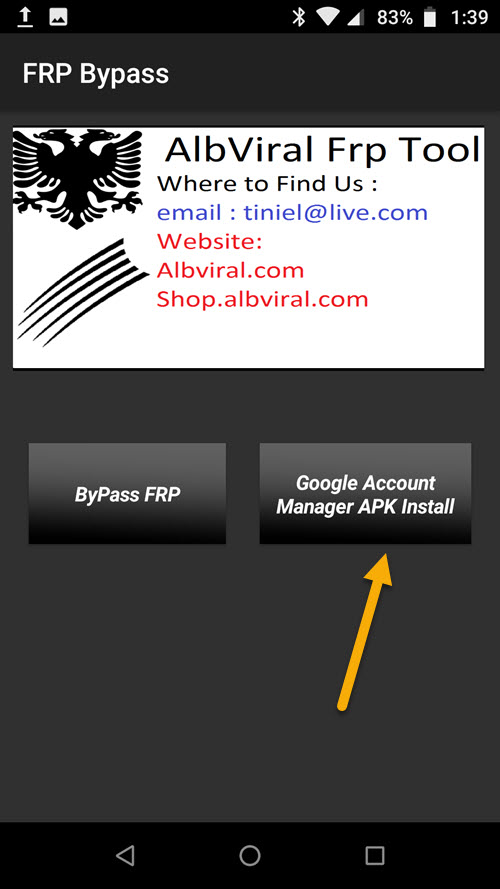
- Click on Google Account Manager APK Install.
- Choose Version 5.0 for Android 9.0 Pie.
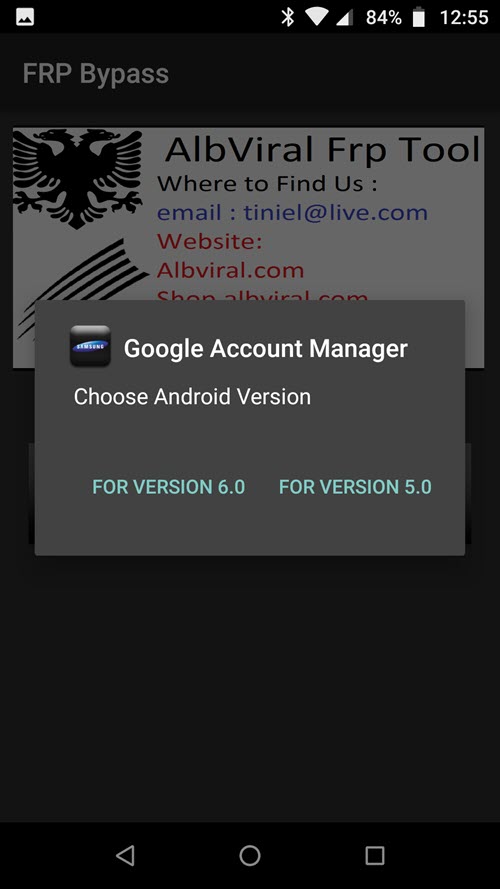
- Then install Google Account Manager APK
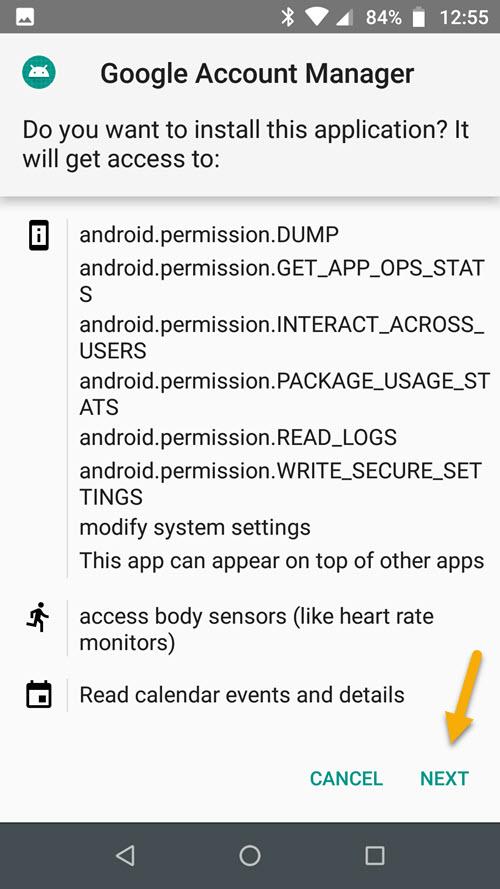
- Go back to FRP Bypass app & tab on ByPass FRP

- Click on BROWSER SIGN IN
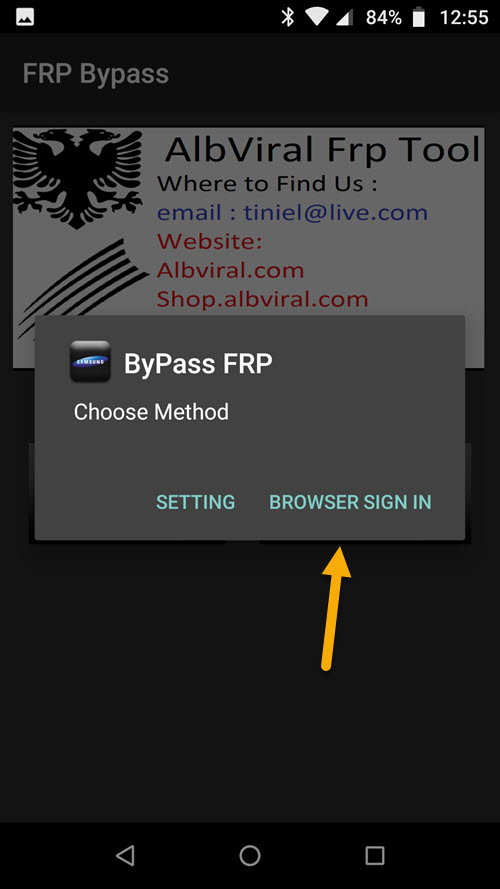
- Click on 3 dots upright & choose browser sign in
- Finally, sign in with your Gmail account & restart your Samsung Galaxy A20e


